





Hot Guide & Tips


Software Testing
Please download Test resources to test & compare Moyea SWF To Video Converters with other SWF converters!
1. Music flash controlled by script:
Download Beautiful.swf
2. Interactive game flash:
Download GangsterPursuit.swf
Download CrusaderTrank.swf
More test resources and info...







Play Flash SWF on Android Devices and Shop More Apps for Your Android Gadgets




Price: $99.95


If you are an Android-device owner and the same time, a hard-core Flash fan as well, then, you will find this content is especially made for you – the way to make Flash SWF playable on kinds of existed Android devices, even if they do not have the nature Flash support.
There are basically 3 parts we are going to discuss: what Android exactly is; which are Android-supported devices and how to play Flash SWF on those devices.
The Definition of Android and its Evolutionary History
In short, Android is a name of mobile device operating system acquired by Google. It is widely used in kinds of smartphones, tablet computers, E-readers, Netbooks and other devices.
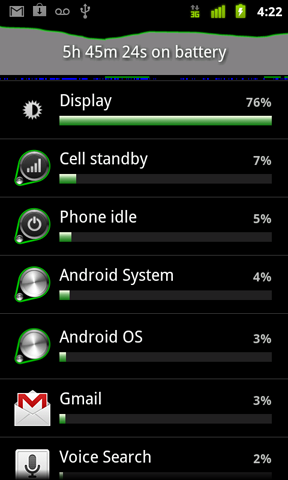
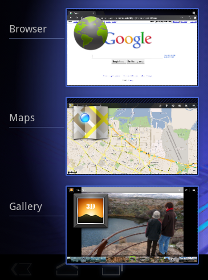
And until now, Android has released 5 versions in total and please refer to the chart below for the detail and screenshot of each version.
| Android 1.6 | Android 2.0 | Android 2.2 |
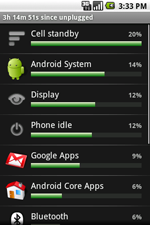 |
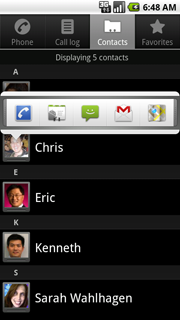 |
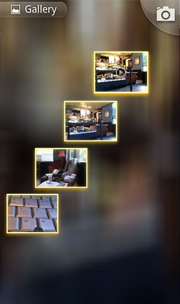 |
| Android 2.3 | Android 3.0 |
 |
 |
Android-Supported Industries and Brands
Android now has penetrated to many industries like smartphones, tablet computers, E-readers, Netbooks and other devices. And every industry has its representative brand and product lines. For example:
| Industry Field | Brand | Product |
| Smartphones | Acer | beTouch E110 |
| HTC | HTC Aria | |
| LG | G2X | |
| Motorola | Atrix 4G | |
| Samsung | SCH-R720Admire/Vitality | |
| Sony Ericsson and Others | Xperia X10 Mini | |
| Tablet Computers | Acer | Acer Iconia Tab A500 |
| Asus | Eee Pad Transformer | |
| Dell | Dell Streak | |
| Samsung | Galaxy Tab 10.1v | |
| Toshiba | Thrive | |
| E-Readers | Barnes & Noble | Nook Simple Touch |
| enTourage | Pocket eDGe | |
| Spring Design | Alex | |
| PocketBook | PocketBook IQ 701 | |
| Netbooks | Acer Inc. | Aspire One Happy series |
| Augen | GenBook 108 | |
| Toshiba | Toshiba AC100 |
Play Flash SWF on Android and Apps to Enrich Android Devices
Some Android devices like HTC Aria smartphone and Samsung Galaxy Tab are with natural Flash support, so would be no problem to play any Flash SWF content on it. However, for those do not support Flash, we may need a tool to have the original Flash SWF files converted, so that they can be played on above-mentioned Android devices as well.
This Flash SWF to Android Converter is recommended because of its effortless Flash SWF to Android MP4 conversion and other SWF to video(in a variety of formats) conversions as well. It takes only 3 steps to make Flash SWF playable on Android.
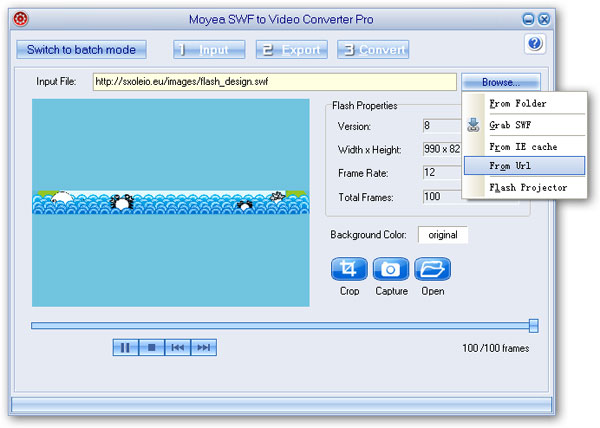
Step 1: Input the source Flash SWF file via one of the channels provided.
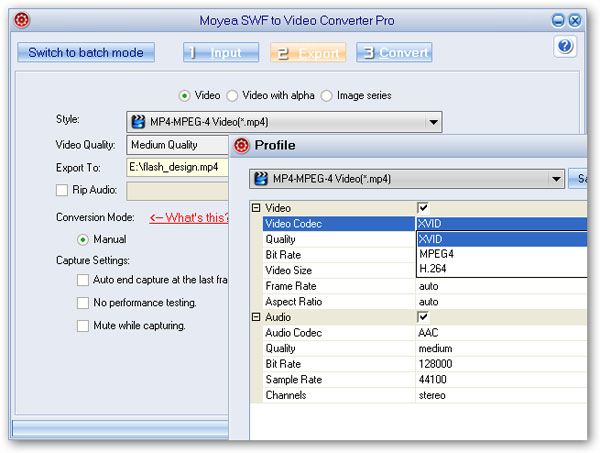
Step 2: Choose Android format MP4 as output video and continue to set other MP4 parameters in the advanced profile settings menu.
Step 3: Start Flash SWF to Android conversion shortly after a quick performance testing.
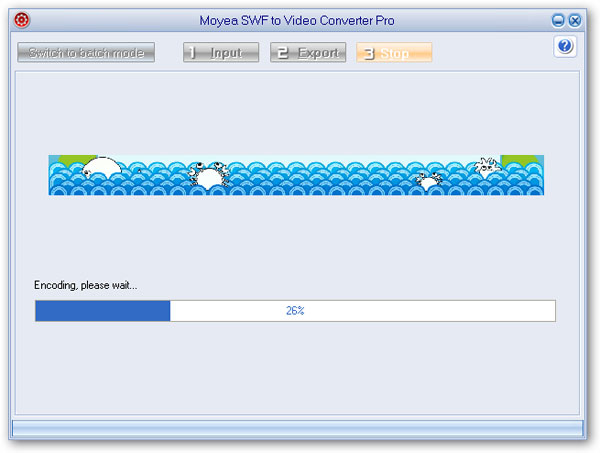
Last but not least, besides the Flash animations, you can shop for a lot of great applications from Android Market to enrich your gadgets, free of charge or just pay a very reasonable fee.


You may also be interested in these hot tips
- Convert Flash SWF on iPad
- Convert Flash SWF on iPod
- Convert Flash SWF on Apple TV
- Convert Flash SWF on iPhone
- Convert Flash SWF on PSP
- Convert Flash SWF on Zune
- Play Flash SWF on iPad 2
- 3 Ways to Play Flash SWF on iPhone 3GS
- 3 Methods to Play Flash SWF on iPhone 4
- 3 Ways to Play Flash SWF on iPhone 5
- 4 Methods to Play Flash SWF on iPod touch
- Play Flash SWF on Samsung Galaxy Tab
- Play Flash SWF on Samsung Galaxy S2
- How to Play Flash SWF Files on Android Devices
- How to Play Flash SWF Files on iOS Device
- How to Play Flash SWF Files on HTC Titan
- How to Play Flash Animations on Nook Tablet & Nook Color
- How to Play Flash Animations on Wii
- How to Play Flash SWF Files on Motorola Xoom 2
- Play Christmas Flash Ecard SWF Files on Kindle Fire
- Play Flash SWF on Google Android 4.0
- How to play Flash SWF on Nokia Lumia 900
- How to Play Flash SWF Files on iPad 3
- How to Play Flash SWF on HTC Ville and HTC Edge
- How to Play Flash SWF Files on The new iPad
- How to Play Flash SWF on BlackBerry Bold Series Smartphones
- How to Play Flash on iPad Mini
- How to Play Flash on Samsung Galaxy S3
- How to Play Flash on Google Nexus 7
- How to Record 2012 Olympic Events as Flash for HTC One X
- Flash on Galaxy Note 2 - How to Play SWF on Galaxy Note 2
- How to Play Flash on Kindle Fire HD
- Flash for Optimus G - Play SWF on LG Optimus G
- 2 Methods to Play Flash on Acer Iconia Tab 110
- Flash for Galaxy S3 Mini - Play Flash on Samsung Galaxy S3 Mini
- 2 Methods to Play Flash on Asus PadFone 2
- SWF to J Butterfly - Play Flash on HTC J Butterfly
- SWF to Xperia T - Play Flash on Sony Xperia T
- SWF for Nexus 4 - Play Flash on LG Nexus 4
- 2 Methods to Play Flash on Surface RT
- Flash for iPad - Play SWF on iPad 4
- SWF for Nexus 10 - Play Flash on Google Nexus 10
- Flash for VivoTab RT - Play SWF on Asus VivoTab RT
- Flash for Venice - Play SWF on LG Venice
- Flash for Droid DNA - Play SWF on HTC Droid DNA
- Flash for Lumia 920 - Play SWF on Nokia Lumia 920
- Flash for lumia 822 - Play SWF on Nokia Lumia 822
- How to Play Flash Movie on LG Mach
- How to Play Flash on Lumia 620
- How to Play Flash on Huawei Ascend D1
- How to Play Flash on ZTE Nubia Z5
- How to Play Flash on Huawei Ascend Mate
- Flash to Xperia ZL - Play Flash on Sony Xperia ZL
- Flash to Xperia Tablet Z - Play Flash on Sony Xperia Tablet Z
- How to Play Flash on HTC One
- 3 Methods to Play Flash on Asus FonePad