

Product List


Software Testing
Please download Test resources to test & compare Moyea SWF To Video Converters with other SWF converters!
1. Music flash controlled by script:
Download Beautiful.swf
2. Interactive game flash:
Download GangsterPursuit.swf
Download CrusaderTrank.swf
More test resources and info...










Price: $69.95


ScreenShot of of SWF to Video Converter Standard
Total Flash SWF to Video Converter Solution for common users!
Moyea SWF to Video Converter Standard is a handy utility that can perfectly convert Macromedia SWF to MOV, MPEG, AVI, FLV, 3GP video (3GPP/3GPP2), MP4 (iPod video, iPhone video and PSP video), WMV (Zune video and Pocket PC video), etc, with excellent picture quality and sound quality for sharing and private entertainment. And Convert Flash SWF files to image series (Animated GIF, JPEG, GIF, PNG, TIFF, BMP). This SWF Video Converter is a professional tool for personal use and educational purpose.
This SWF Converter is designed to convert Flash SWF to video for portable players, particularly for iPod, PSP, iPhone, Zune, etc, and rip SWF to audio files for smart phones, etc. And its manual mode allows capturing interactive Flash for conversion.
Moyea SWF to Video Converter Standard supports both single conversion mode and batch conversion mode.
Here in this page screenshots are captured in Single Conversion.
Single Conversion
Step 1: Import source SWF Flash files into program from local computer or internet
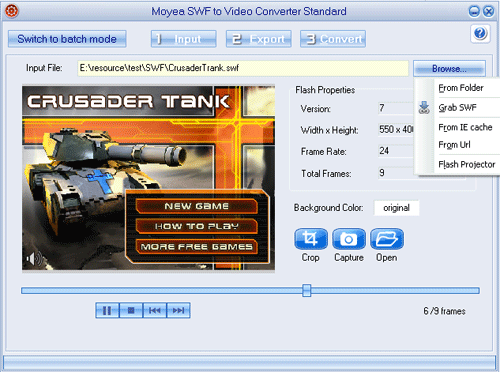
Step 2: Set output video and audio parameters for output video file
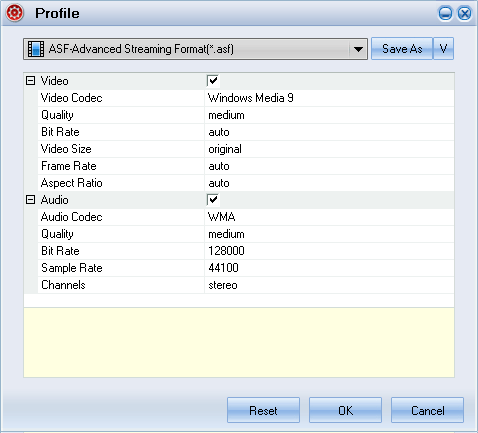
a. Choose to generate video
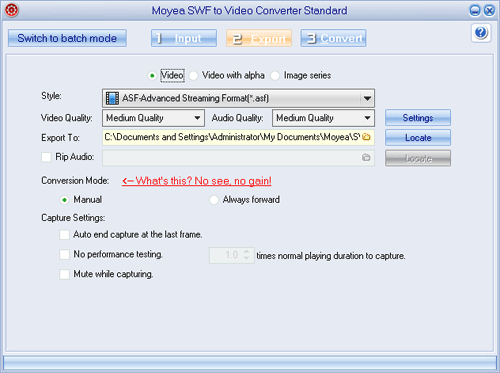
Advanced profile settings
b. Choose to generate image series
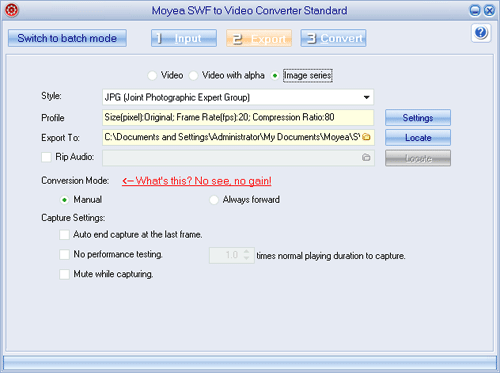
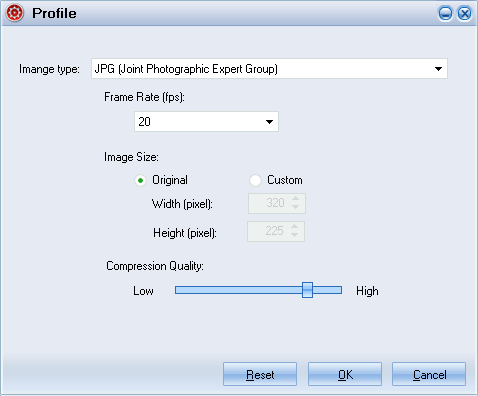
Profile settings for the image series:
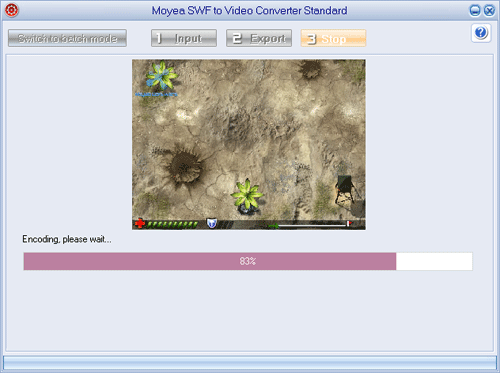
Step 3: Convert to encode the end video file
Price: $69.95


You May Also Be Interested in These Items
 Moyea SWF to Video Converter Pro
The best & the only SWF Converter solution for professionals! Learn More...
Price: $99.95