





Product List


Software Testing
Please download Test resources to test & compare Moyea SWF To Video Converters with other SWF converters!
1. Music flash controlled by script:
Download Beautiful.swf
2. Interactive game flash:
Download GangsterPursuit.swf
Download CrusaderTrank.swf
More test resources and info...








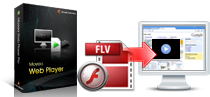


Price: $99.95


Moyea Web Player Premium Frequently Asked Questions (FAQ)
1. Q: The Web Player works perfect when I preview on my local computer, but doesn't work after I upload to my Web Site.
A: Firstly please make sure the following points:
1. You have uploaded all the generated files except the index.html file, to the same folder of your web server. And all the files could be visited by any visitor through web browser. Note: Please make sure that the file names only include numbers and English letters and no other character.
2. The path of "mwplayer" is correct in embed code. If mwplayer.swf resides in another directory, then point to it with a relative path (e.g. video/mwplayer.swf) or an absolute path (e.g. https://www.yourdomain.com/video/mwplayer.swf ).
3. You have uploaded the Web Player to your registered web site.
If the player still doesn't work well, please kindly send the URL of your player to support@playerdiy.com so that we could directly check.
2. Q: How to make the Web Player play a specific video or multiples from parameters but not the playlist XML file?
A: The video can be called using the code below if you only want to play one video:
so.addParam('flashvars','playerOpts=playListPath*^^video/filename.flv*s');
And if you want to play multiple videos, the code can be as below:
so.addParam('flashvars','playerOpts=playListPath*^caption^path^image^clickurl^clicktarget^endurl^styleoftarget
^endtarget......*s');
The "…" part means the front code can be duplicated to play multiple videos.
3. Q: Is it possible to remove the “Embed” and “URL” code part beside the Web Player window?
A: You could choose “none” to hide the “User define area” in “Template --> Options --> List and component -->User define area” item of the Web Player program
4. Q: I would like the playlist to be always visible below the play screen.
A: You could choose to check the options “Show list at first”, “Show list when playing” and “Show list at last” to show your playlist. Have a look at the example.
Note: The “Show list at first” option will not take effect if "Pause at first frame" option is canceled. These three options can be separately chosen or arbitrarily chosen together.
5. Q: How I can set so that the next flash video in the playlist will be automatically played?
A: Please check the item “Auto choose next” in “Template --> Options --> Playback Settings” of the program to set to play the next video automatically. Check out the example.
If "Auto Rewind" is also checked, all videos in playlist will be automatically replayed as loop.
6. Q: Can I jump ahead to a part of the video that is not yet downloaded and have it started downloading from that point?
A: Our web player program supports this function. In order to make this function available, please make sure your web server is Adobe Flash Media Server or other analogous flash Media server. Otherwise, this function will not come through.
7. Q: Is it possible for me to adjust the player size?
A: You could set the width and height of the player in the following code according to your need. The red number 500 is the width value of player and 450 is the height value.
<script type="text/javascript" src="swfobject.js"></script>
<div id="flashcontent">Player will show here </div>
<script type="text/javascript">
var so = new SWFObject('mwplayer.swf','player','500','450','9');
so.addParam('wmode','opaque');
so.addParam('quality','high');
so.addParam('allowfullscreen','true');
so.addParam('allowscriptaccess','always');
so.write("flashcontent");
</script>
8. Q: Can I use the player on sub-domains of my registered domain?
A: We regret that single license for one domain doesn’t include sub domains of the registered domain. You need to register each sub domain if you want to embed generated players in it, each domain will have a registered codebase.swf file.
9. Q: How do I link to a specific video for playing in a new page?
A: There is a detailed tutorial can teach you how to implement this functionality. Please check out this tutorial. Enjoy
10. Q: How to edit flash video player with code?
A: There is a article talks about this topic, and can teach you how to. Take a look at this article.


You May Also Be Interested in These Items
 Moyea SWF to Video Converter Std
 Total Flash SWF to Video Converter Solution for common users! Learn More...
Price: $69.95
 Moyea SWF to Video Converter Pro
The best & the only SWF Converter solution for professionals! Learn More...
Price: $99.95